
Canvas Convert Pro
All-in-one file utility suite running 100% locally in your browser with WebAssembly.


Overview

Canvas Convert Pro
Web & Windows Suite · 100% Local Processing
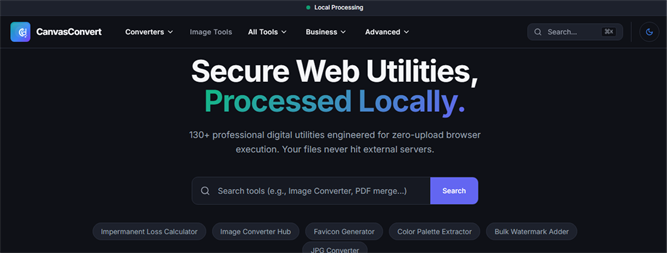
CanvasConvert Pro is an all-in-one file utility suite that runs 100% locally in your browser — no uploads, no servers, no data leaving your device. Powered by WebAssembly, it delivers instant, private file processing for everyday and professional workflows alike.
Because every operation happens on-device, your files are never transmitted anywhere — making CanvasConvert Pro ideal for anyone who needs fast, secure file handling without compromising privacy. Works offline once installed, with no file size restrictions beyond your device's own memory.
Whether you're a developer, designer, or just need a quick file conversion, CanvasConvert Pro puts a full toolkit in your hands — free, private, and always available.
Where it runs
An honest breakdown of local computation versus network dependencies:
- All file reading, parsing, and WebAssembly transcoding directly in device RAM [CONFIRM]
- Image conversion & compression (JPG, PNG, WEBP, AVIF, HEIC) [CONFIRM]
- PDF merging, splitting, page reordering, and local compression [CONFIRM]
- Developer utilities (JSON formatting, JWT debugging, Dockerfile generation) and EXIF stripping [CONFIRM]
- Initial download of the static tool application bundle and WebAssembly modules [CONFIRM]
Privacy
100% on-device processing. Files selected for conversion are loaded strictly into your local browser RAM and are never transmitted to external servers.
Requirements
System Requirements: Modern web browser (Chrome, Edge, Firefox, Safari) with WebAssembly support, or Windows 10/11 x64/ARM64.
Related links
Changelog
-
v2.4.0
October 2026
Added client-side PDF optimization, JWT debugger, and HEIC batch conversion.
-
v2.0.0
May 2026
Rebuilt pipeline using WebAssembly for zero-upload offline conversions.
-
v1.0.0
January 2025
Initial browser launch.